

Modbus Addressing: 40001, Function Codes and Address Conversion
The manual says 40001, yet the frame on the wire carries 0x0000. Once you understand that conversion, most “can’t read the value” problems go away.
What 40001 means
It is a Modicon convention: the first digit names the data table, and the last four digits give the item number.
The first digit only tells you which table the data lives in.
Item numbers start at 1; addresses in the frame start at 0, so subtract 1.
Four data tables, each with its own numbers and function codes
Coil
- Range
- 00001–09999
- Read
- 01
- Write
- 0515
Size: 1 bit
Typical: Digital outputs, relays
Discrete Input
- Range
- 10001–19999
- Read
- 02
- Write
- Not writable
Size: 1 bit
Typical: Digital inputs, contact status
Input Register
- Range
- 30001–39999
- Read
- 04
- Write
- Not writable
Size: 16 bit
Typical: Measured values
Holding Register
- Range
- 40001–49999
- Read
- 03
- Write
- 0616
Size: 16 bit
Typical: Setpoints, analog outputs, measured values
Enter a number and follow the data
- Table
- Holding Register
- Function code
- 03
- Address
- 0x000C(DEC 12)
40013 − 40001 = 12
| Number | Address | Value |
|---|---|---|
| 40011 | 0x000A | 0x213E |
| 40012 | 0x000B | 0x2419 |
| 40013 | 0x000C | 0x26F4 |
| 40014 | 0x000D | 0x02BF |
| 40015 | 0x000E | 0x059A |
Click a row to select it.
Applying it to RIO remote I/O
Each slot has 4 addresses. DI sits in the discrete-input table, DO in the coil table and AI/AO in the holding registers; all three share the same address range.
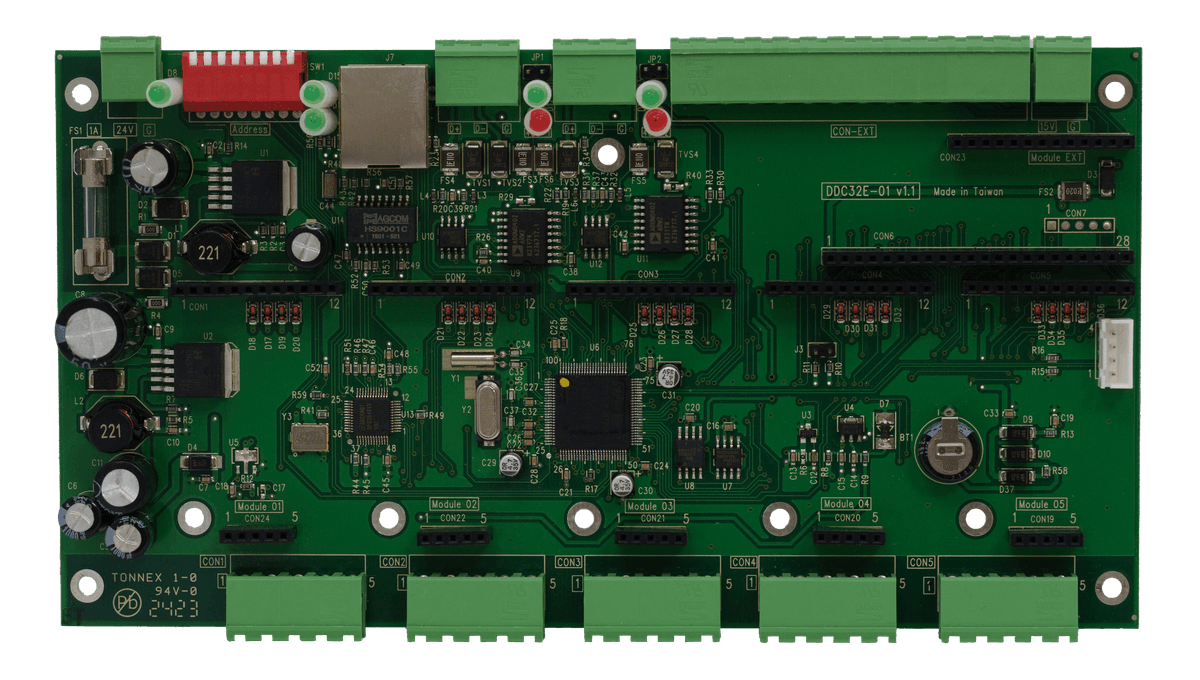
How to use: Pick a model, choose a slot on the photo or with the buttons, then set the module, channel and read or write. The function code, address, number and request frame update as you go.
Can’t read a value? First check whether the device replies
It replies with an exception
The wiring works; the request is the problem. An exception reply adds 0x80 to the function code — a failed 03 comes back as 0x83.
| Code | Meaning | Check first |
|---|---|---|
| 01 | Illegal function | Wrong function code, or the device does not support it |
| 02 | Illegal data address | Off by one, wrong base subtracted, or the range runs past the address map |
| 03 | Illegal data value | Malformed or too long, e.g. more than 125 registers in one 03 request |
| 04 | Server device failure | Power-cycle and retry; contact the manufacturer if it persists |
No reply at all
A device that never received the request, or received it with a parity or CRC error, stays silent. This is usually a wiring or settings problem.
- Slave ID matches
- Baud rate, parity and stop bits match
- RS-485 D+ / D− are not swapped